
I don’t know about you but when I create a QR code it is only every used once because I can’t rename it.
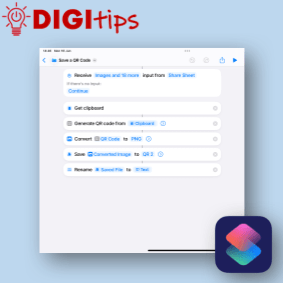
This QR code generator using Apple Shortcuts, allows you to write a short script that creates a QR code from the clipboard or runs from the share sheet in Safari. It will give you the option to rename it and save it to a specific folder. You must use either iCloud or On My iPad as OneDrive does not work.
Recorded on iPadOS 18.5
 Edinburgh Learns Digital | City of Edinburgh Council